
Simple Net Worth Tracker for Google Sheets (Free Template)
Simple Net Worth Tracker for Google Sheets (Free Template)
Short answer: Net worth is what you own minus what you owe. This simple net worth tracker for Google Sheets is a free spreadsheet that lists your accounts in one grid, adds up assets and debts for you, and keeps a 12 month history so you can see your trend. Setup takes about 15 minutes, and each monthly update takes about the same.
A net worth tracker spreadsheet does not need to be fancy. You need a list of what you own, a list of what you owe, and the habit of checking both once a month. This template gives you the list and the math, and it keeps everything on one screen. If you later want accounts to update themselves, there is a section on when an app makes more sense.
Make a copy of the free net worth template (Google Sheets)
You need a Google account to save your own copy. It stays private unless you share it.
Key takeaways
- Net worth is total assets minus total debts. The template does the subtraction every month.
- One grid holds every account, with a column for each of 12 months.
- The trend matters more than any single month, so give it at least three months before reading too much into it.
What is in the net worth tracker template?
| Tab | What it does |
|---|---|
| Start Here | Short instructions and a color key |
| Tracker | One row per account, one column per month, with total assets, total debts, net worth and monthly change |
| Summary | Your latest net worth, the change from last month, the change since you started, a breakdown by account type and a chart |
| Lists | The account types, each marked as an asset or a debt |
You only type in the Tracker tab. Account types come from a dropdown, and the sheet decides whether each row counts as an asset or a debt.
How do you set up a simple net worth tracker in Google Sheets?
1. Make a copy of the template.
2. Pick your first month in the top left of the Tracker. The other 11 months fill in after it.
3. List your accounts, one per row. Choose a type for each from the dropdown.
4. Enter balances in the first month's column. Type debts as positive numbers, which is what you owe.
5. Check the Summary tab. Your net worth and chart appear straight away.
Here is the Tracker with sample numbers for two months.
| Account | Type | Class | Jan 2027 | Feb 2027 |
|---|---|---|---|---|
| Checking | Checking and savings | Asset | $6,200 | $6,800 |
| Savings | Checking and savings | Asset | $14,500 | $15,000 |
| Brokerage | Investments and retirement | Asset | $22,000 | $22,900 |
| Retirement | Investments and retirement | Asset | $48,000 | $49,100 |
| Home value | Home value | Asset | $380,000 | $380,000 |
| Car | Vehicle | Asset | $14,000 | $13,800 |
| Credit card | Credit card | Debt | $2,300 | $1,900 |
| Mortgage | Mortgage | Debt | $296,000 | $295,400 |
| Car loan | Auto loan | Debt | $9,500 | $9,100 |
| Total assets | $484,700 | $487,600 | ||
| Total debts | $307,800 | $306,400 | ||
| Net worth | $176,900 | $181,200 | ||
| Change from last month | +$4,300 |
These numbers are made up for the example. Notice that net worth moved up even though the car lost value: the credit card, mortgage and car loan balances all came down, and the other balances grew.
What should you count as an asset or a debt?
A simple rule keeps the sheet honest: count things that hold value you could turn into money, and count every balance you owe.
- Cash: checking and savings balances.
- Investments: the current balance of each brokerage or retirement account. You do not need holdings, just the total.
- Your home: the value of the home, or just your equity if you prefer one line. Equity is the home's value minus what you still owe on it.
- Vehicles, gold, collectibles: a rough current value, not what you paid.
- Debts: credit cards, mortgage, car loans, student loans and personal loans.
Leave out everyday belongings like furniture and clothing. They matter to you, but they are hard to value and easy to overcount.
Where do you find each number?
- Bank, card and loan balances: open the account or the latest statement, and use the same day each month.
- Home value: start with your county assessor's value or your last appraisal. These can differ from what a buyer would pay, so pick one source and stay with it. Our guide to hidden costs of owning a home covers what else a home costs you.
- Car value: use a valuation tool you trust and update it once or twice a year.
Consistency matters more than precision. If you value your home the same way every time, your trend stays meaningful even if the number is a little off.
What is a 15 minute monthly net worth tracker routine?
Pick the same day each month, like the first of the month, and run this:
1. Minutes 1 to 5: Update the balance for each bank, card and loan account in the new month's column.
2. Minutes 6 to 8: Update investment balances.
3. Minutes 9 to 11: Update any values you only change now and then, like your home or car.
4. Minutes 12 to 15: Open Summary. Look at the change from last month, and write down one thing that moved it.
Net worth moves slowly. A market dip can push it down while your balances are on the right track, and a good month in the market can lift it without anything you did. Look at three to six months before you draw conclusions. If you are weighing a big purchase, our rent vs buy calculator can help with the monthly cost side. To see what it would take to shrink a debt line, try the credit card calculator or the loan calculator.
When does a net worth tracker spreadsheet stop being worth it?
A spreadsheet is a fine way to start. It is free, flexible and yours. But you are the data connection, and that can get tiring. It may be time for an app if:
- You skip months because logging into every institution feels like a chore.
- Your partner wants to see the number and you are the only one who updates the sheet.
- You keep a growing list of accounts that all need a balance each month.
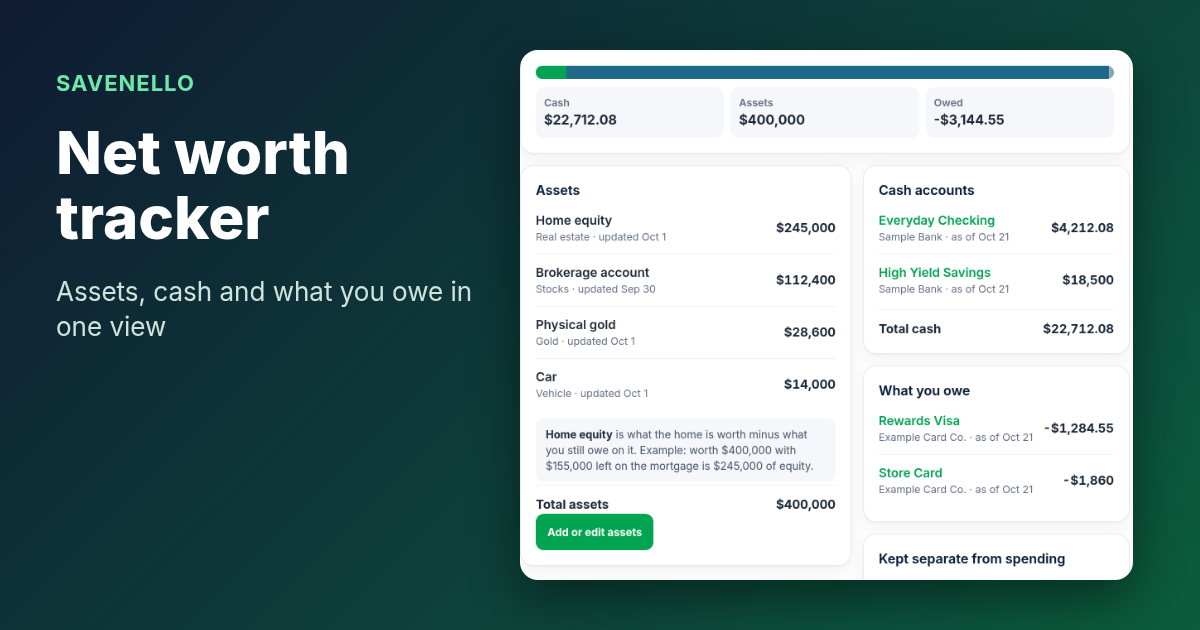
Savenello does the collecting. You connect your bank securely with Plaid, and Savenello reads balances with read-only access. It cannot move, send or withdraw money. Here is how its net worth works:
- Net worth is your cash plus your investment balances plus manual assets, minus your linked card and loan balances.
- Manual assets you type in yourself: home equity, vehicles, gold and precious metals, collectibles, cash and other. Savenello does not look up values, so you enter them, with an as-of date.
- Monthly history keeps up to 12 months, starting when you connect.
- One shared household number. Share one budget with your partner, and they get Edit or View access to the same shared budget, transactions and reports.
- Included in the one plan, with no extra fee for net worth.
See sample numbers in the net worth demo. Because Savenello's history starts when you connect, keep your sheet's earlier months. And if you want detail by account, the sheet is still the place for it.
Get 2 months free. No credit card required.
After the 2 months, Savenello is $9.99 a month for your household. Wondering about other options? Browse our free calculators, see our guide to Mint alternatives with net worth tracking for couples, or read who Savenello is for. If a savings goal is what you are tracking, see the best app to track savings goals.
FAQ
What is a simple way to calculate net worth?
Add up everything you own, add up everything you owe, and subtract the second total from the first. The template does this each month in the Tracker tab.
How often should I update my net worth tracker?
Once a month is enough for most people, on the same day each time. Update the values that change slowly, like a home or car, once or twice a year.
Should I include my home in my net worth?
Most people do, either as the home's value with the mortgage listed as a debt, or as one line for equity. Pick one way and keep it the same each month so the trend stays clear.
Is this net worth spreadsheet really free?
Yes. Make a copy of the Google Sheet and use it as long as you like. You need a Google account to save your own copy.
Is there a net worth tracking app that updates itself?
Savenello is one. It adds your linked cash and investment balances plus the assets you enter, then subtracts your linked card and loan balances. It keeps up to 12 months of monthly history and shows one shared household number. It does not show investment holdings. Assets like a home or car are typed in by you. See the net worth demo.
Sources checked on Oct 25, 2026
We make Savenello, so we are a little biased about when an app beats a spreadsheet. The template works fully on its own, and you do not need a Savenello account to use it.