
Free Couples Budget Template for Google Sheets
Free Couples Budget Template for Google Sheets
Short answer: This free couples budget template for Google Sheets has seven tabs, one shared set of categories and a Fair Share tab that shows who should cover what. Make a copy, enter two paychecks, and you can run a shared budget together in about 20 minutes a month.
A good couple budget template does two jobs. It helps you agree on how to share costs, and it keeps one person from doing all the typing. This one handles the first with a built in fair share calculation and keeps the second as light as a spreadsheet can. If the typing starts to wear on you, there is a section near the end on when an app makes more sense.
Make a copy of the free template (Google Sheets)
You need a Google account to save your own copy. It stays private until you share it with your partner.
Key takeaways
- The template covers income, a monthly budget, a transaction log, fair share between two people, savings goals and a year view.
- Fair Share works two ways: equal shares, or shares in proportion to what each of you takes home.
- Setup takes about 20 minutes, and a monthly check-in takes about the same.
What is in the couples budget template?
| Tab | What it does |
|---|---|
| Start Here | Short instructions and a color key |
| Settings | Your names, the month, how you share costs, expected take home pay and your categories |
| Budget | Planned, spent and left for each category, with a status |
| Transactions | One row per purchase or paycheck, with who paid and Shared or Personal |
| Fair Share | Shared costs, what each person should cover, what each paid, and who sends what |
| Goals | Savings goals with a target, a date and the monthly amount needed |
| Year View | Income, spending and saving for all 12 months, with a chart |
You type a transaction once, and the Budget, Fair Share and Year View tabs update themselves.
How do you set up a couple budget template in Google Sheets?
1. Make a copy and share it with your partner as an editor.
2. Open Settings. Type both names, the first day of the month you are budgeting, and what each of you expects to take home monthly.
3. Choose how you share costs: Equal or By income.
4. Edit the categories. Twenty are ready, such as Rent, Groceries, Utilities, Dining out, Emergency fund and one fun money line for each of you.
5. Fill in Planned on the Budget tab. Start with fixed costs, then savings, then flexible spending.
6. Log what you spend. Add a row on Transactions with the category, who paid, and Shared or Personal.
Here is the Budget tab with sample numbers.
| Category | Type | Planned | Spent | Left | Status |
|---|---|---|---|---|---|
| Rent | Expense | $1,800 | $1,800 | $0 | Close |
| Groceries | Expense | $700 | $412 | $288 | On track |
| Utilities | Expense | $250 | $231 | $19 | Close |
| Dining out | Expense | $300 | $340 | -$40 | Over |
| Emergency fund | Saving | $400 | $400 | $0 | Funded |
| Vacation | Saving | $200 | $150 | $50 | Not yet |
Close means 90 percent or more of a limit is used. Over means you passed it. Saving rows show Funded or Not yet.
How should couples share costs: equally or by income?
There is no single right answer for a couple budget template. The sheet handles the first two of these common ones.
- Equal shares. Each of you covers half. It is simple and fits when you earn about the same.
- Shares by income. Each of you covers the same percentage of your take home pay. Many couples find this fairer when incomes differ.
- A joint account. You each send a set amount to one account for shared costs. The Fair Share tab can tell you what that amount should be.
Here is a worked example. Partner 1 takes home $4,000 a month and Partner 2 takes home $2,000. Shared costs are $3,000.
| Partner 1 | Partner 2 | Total | |
|---|---|---|---|
| Take home pay | $4,000 | $2,000 | $6,000 |
| Share of shared costs | 67% | 33% | 100% |
| Fair share to cover | $2,000 | $1,000 | $3,000 |
| Actually paid | $2,400 | $600 | $3,000 |
| Difference | +$400 | -$400 | $0 |
The tab then reads: Partner 2 sends $400.00 to Partner 1. The numbers are only an example, so pick the method you both feel good about and revisit it when either income changes.
Most couples also do better with a little money that is nobody's business. Mark those purchases Personal, and they stay out of the Fair Share math but still count in your budget.
Rent is usually the biggest shared cost. The rent affordability calculator can show what a rent level means against your take home pay, and the budget calculator shows a quick needs, wants and savings split for it.
What should a 20 minute monthly check-in look like?
1. Minutes 1 to 5: Add transactions you have not logged yet.
2. Minutes 6 to 10: Check the Budget tab. Which rows are Over? Move money or accept it.
3. Minutes 11 to 15: Open Fair Share and send what is owed.
4. Minutes 16 to 20: Check Goals, set next month's Planned amounts and pick one thing to do with the money.
Costs that come once or twice a year can wreck a month, so give them a line. Our guides on budgeting for yearly expenses and sinking funds for beginners show how. If either of you is paid every two weeks, see the months with 3 paychecks in 2027.
When does a couples budget spreadsheet stop being worth it?
A spreadsheet is a good place to start. It costs nothing, you control every cell, and it teaches you how your money moves. But it can start working against you. You may be there if:
- One of you does all the typing, and the other sees the sheet only at check-in time.
- Logging falls behind. A few missed weeks and the numbers stop matching your bank.
- You have more accounts than rows. Checking, savings, cards and a loan add up.
That is the problem Savenello is built to solve. Connect your bank securely with Plaid, and Savenello reads balances and transactions with read-only access. It cannot move, send or withdraw money. Transactions arrive sorted into categories, and you review them instead of typing them.
- Share one budget with your partner. They get Edit or View access to the same shared budget, transactions and reports.
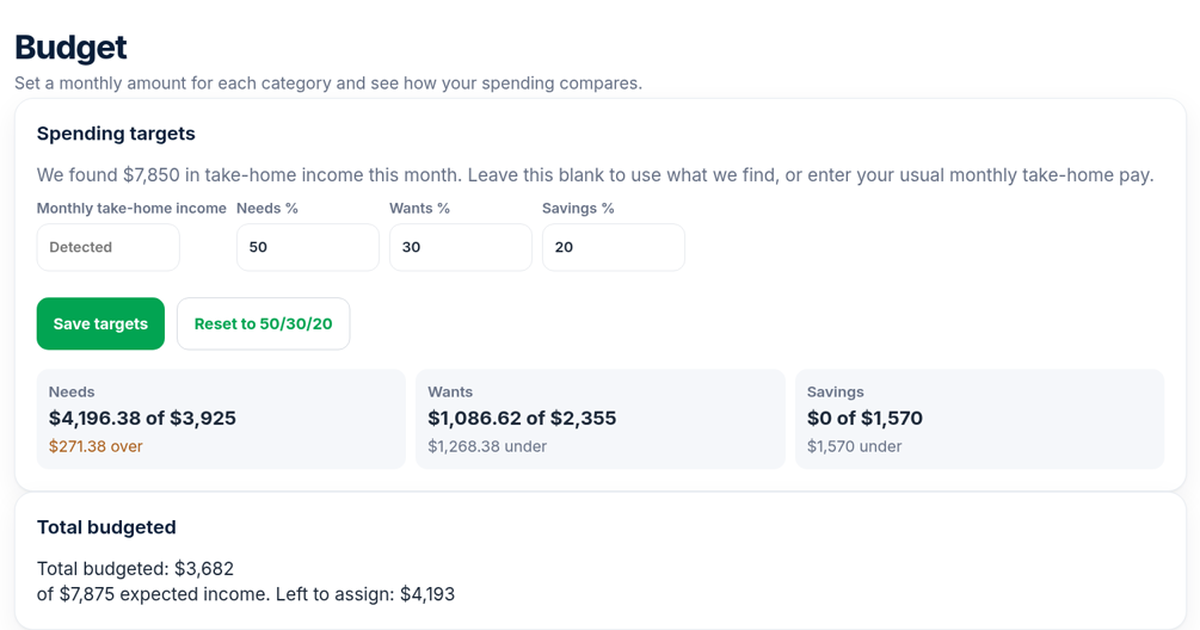
- A budget you can read at a glance. Set a monthly amount for each category and see how your spending compares in the budget demo.
- One transaction, several categories. A single store run can be divided between Groceries and Household.
- Shared goals. Track progress toward a vacation or an emergency fund in the goals demo, or compare options in our guide to the best app to track savings goals. Savenello tracks progress, and it does not move money for you.
- One shared net worth for your household.
Savenello has no Fair Share tab, so if you share costs by income, you can keep that one tab in your sheet and use it monthly.
Get 2 months free. No credit card required.
After the 2 months, Savenello is $9.99 a month for your whole household. Not sure it fits? Read who Savenello is for, see Mint alternatives with net worth tracking for couples, or browse all of our free calculators first.
FAQ
Is this couples budget template really free?
Yes. Make a copy of the Google Sheet and use it as long as you like. You need a Google account to save your own copy.
How do we share the template with each other?
Make your copy, choose Share, and add your partner's email as an editor. You can both edit at the same time.
Should we share costs equally or by income?
Equal shares are simple and work when you earn about the same. Shares by income cover the same percentage of take home pay, which many couples find fairer when incomes differ. Switch between the two in Settings to see both.
Can couples who live together but are not married use this budget template?
Yes. It works for couples living together, newlyweds and long term partners. If you keep separate accounts, set Paid by to whoever paid and mark each row Shared or Personal.
What if we want to stop typing transactions?
That is when an app makes more sense. In Savenello, you connect your bank securely with Plaid, and transactions arrive in your shared budget for you and your partner to review. Try it with 2 months free and no credit card required.
Sources checked on Oct 25, 2026
We make Savenello, so we are a little biased about when an app beats a spreadsheet. The template works fully on its own, and you do not need a Savenello account to use it.